Core concepts
A quick tour of the objects you’ll work with. Everything in BitsReef hangs off this hierarchy:
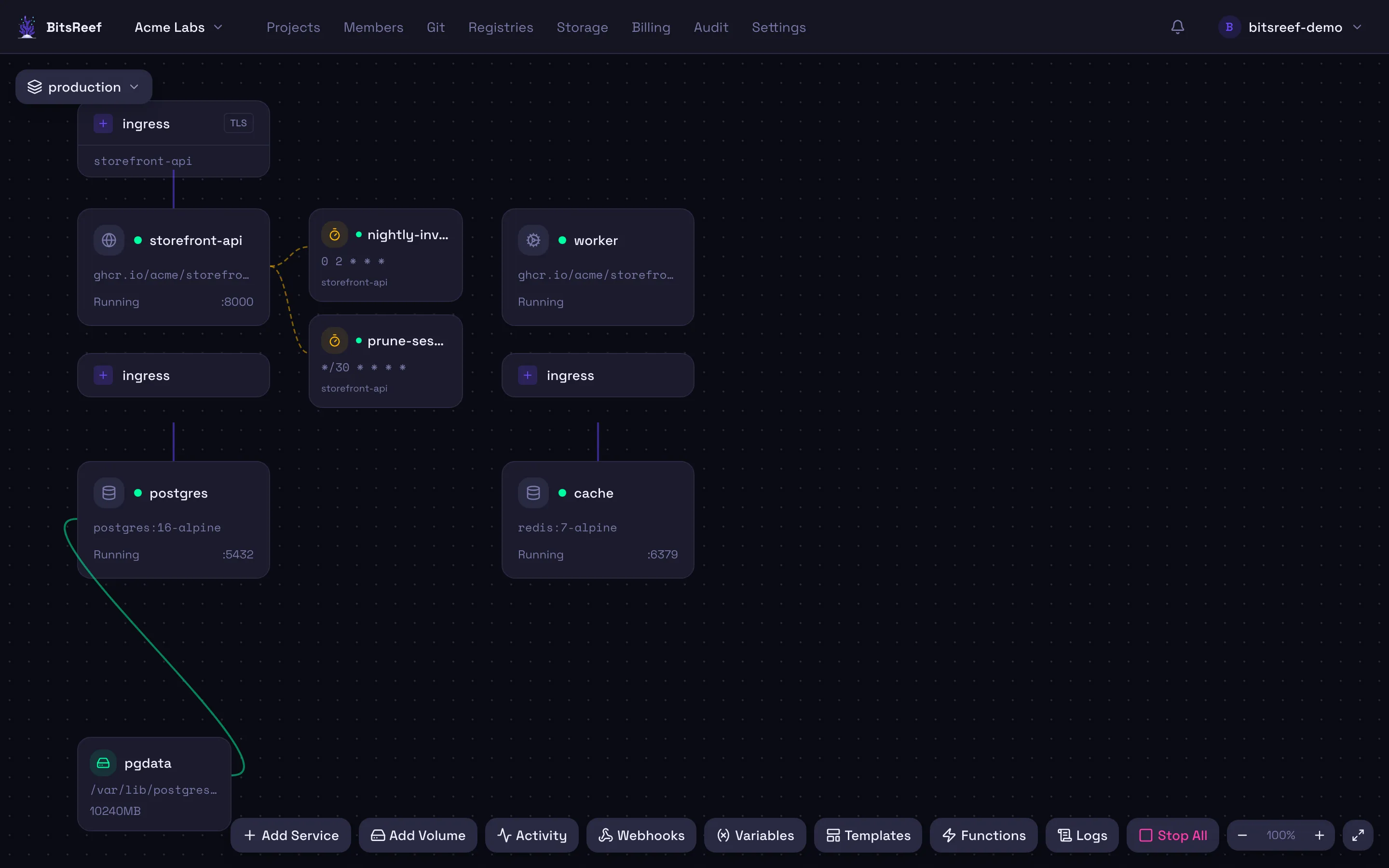
Organization → Project → Service → (env vars, domains, volumes, cron jobs…)A project’s canvas shows its services as nodes, with a toolbar for adding services, volumes, functions, webhooks, and more:
Organization
Section titled “Organization”The top-level tenant and billing boundary. Every user gets a personal organization automatically on signup. Organizations hold members with roles (owner, admin, member, viewer) and own all projects and billing. Most CLI commands are scoped by an organization ID.
Project
Section titled “Project”A logical grouping of related services — think “one app and its dependencies.” Projects own the services you deploy, plus project-scoped resources like volumes and webhooks. A project has a slug used in generated URLs and container names.
Service
Section titled “Service”A single deployable unit — one container image running one or more replicas. A service is created from either:
- a container image (e.g.
nginx:latest, or an image in a private registry), or - a Git repository, which BitsReef builds into an image for you.
Each service gets an auto-assigned subdomain with HTTPS, environment variables, optional custom domains, health checks, and autoscaling settings.
Deployment
Section titled “Deployment”A deployment is one attempt to roll out a service — pull/build the image,
start containers, wire up routing, and run health checks. Each deploy is
recorded with its build and runtime logs, so you can watch progress
(bitsreef up --follow) and roll back to a previous one.
How routing & TLS work
Section titled “How routing & TLS work”BitsReef runs Traefik as a reverse proxy in front of your services. When a service deploys, Traefik picks up its route automatically and provisions a TLS certificate via Let’s Encrypt — so every service is reachable over HTTPS with no certificate management on your part. Custom domains work the same way once DNS is verified.
Isolation
Section titled “Isolation”Tenant workloads run under a hardened container runtime (gVisor) on dedicated worker nodes, separate from the platform’s control plane. Builds run in a sandbox with restricted network egress. You don’t configure any of this — it’s how the platform is built.
- Put it into practice: Your first deploy.
- Learn the tooling: CLI reference.