Deploy from an image
The fastest way to run something on BitsReef is to point it at a container image.
From the dashboard
Section titled “From the dashboard”- Open your project’s canvas and click Add Service.
- Give it a Service Name.
- Source Type: Container Image.
- Image: the image reference, e.g.
nginx:latestorghcr.io/org/app:sha. - Set the Exposed Port your container listens on. Optionally tune the restart policy, CPU/memory limits, replica range, health check path, and SSL.
- Click Create Service.
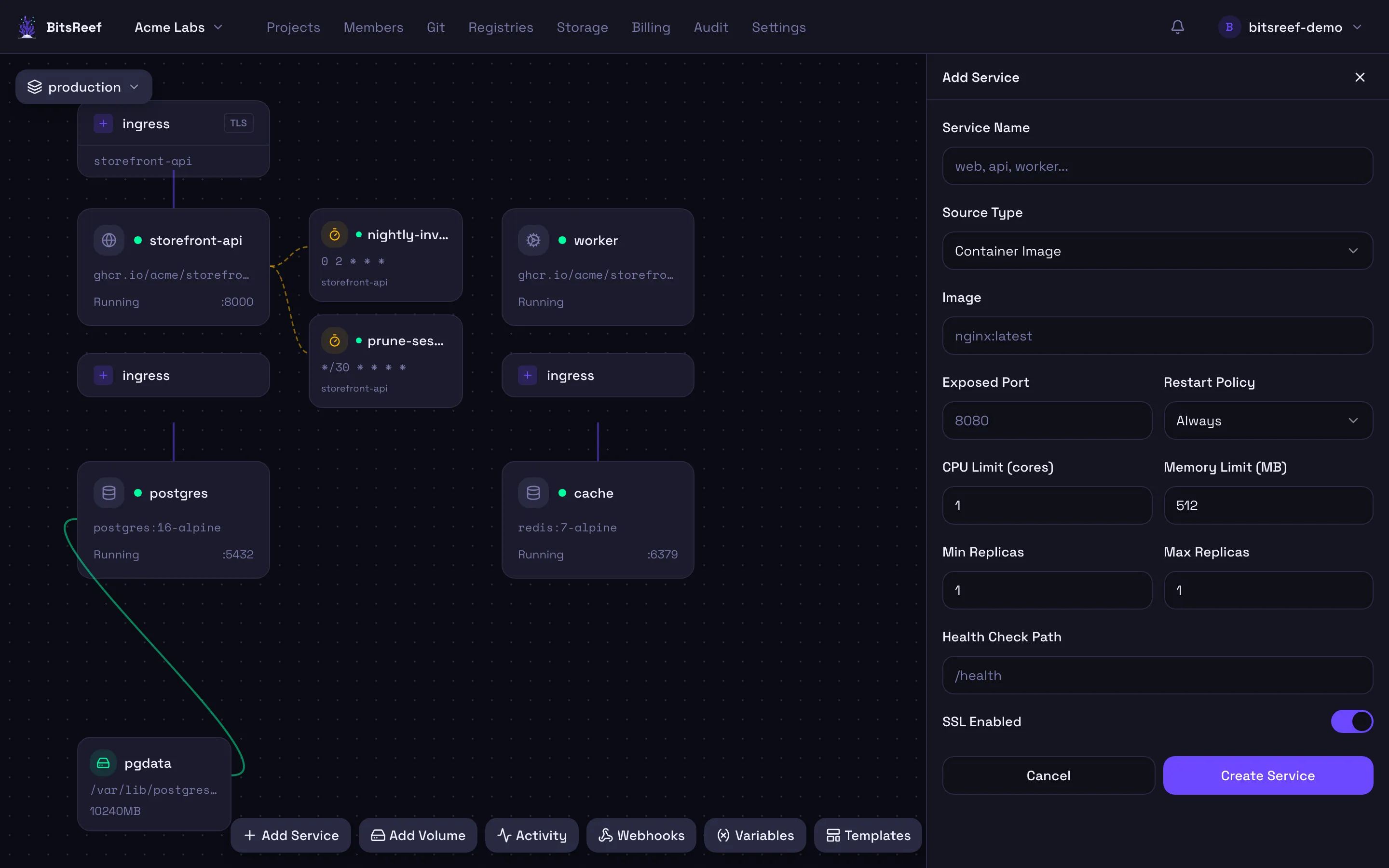
After the first deploy you can tune everything from the service’s tabs — Environment, Scaling, Domains, and more.
Redeploying
Section titled “Redeploying”To ship a new version, edit the service’s image to the new tag in its Config and Deploy again. BitsReef performs a rolling update.
From a private registry
Section titled “From a private registry”To pull from a private registry, add its credentials first:
- Open Registries from the top nav and click Add registry.
- Enter the registry URL, username, and access token.
- Back on the service, reference the private image normally — BitsReef authenticates using the stored credentials.
Scaling, restarting, stopping
Section titled “Scaling, restarting, stopping”From the service’s Scaling tab (or its controls) you can change the replica count, restart, or stop it. See Autoscaling.
From the CLI
Section titled “From the CLI”# Create-or-update and deploy in one shot:bitsreef up --project my-project --name web --image nginx:latest --port 80 --follow
# Extra options:bitsreef up -p my-project -n web -i my/app:tag \ --env KEY=VALUE --replicas 2 --cpu 0.5 --memory 512 --follow
# Lifecycle:bitsreef services scale web -r 3bitsreef services restart webbitsreef services stop web