Environment & secrets
Services are configured through environment variables. Values marked as secrets are stored encrypted and hidden until explicitly revealed.
From the dashboard
Section titled “From the dashboard”- Open a service and go to its Environment tab.
- Add a variable — a key and value.
- Toggle Secret for sensitive values (API keys, passwords) so they’re stored encrypted and masked in the UI.
- Save, then redeploy for the change to take effect.
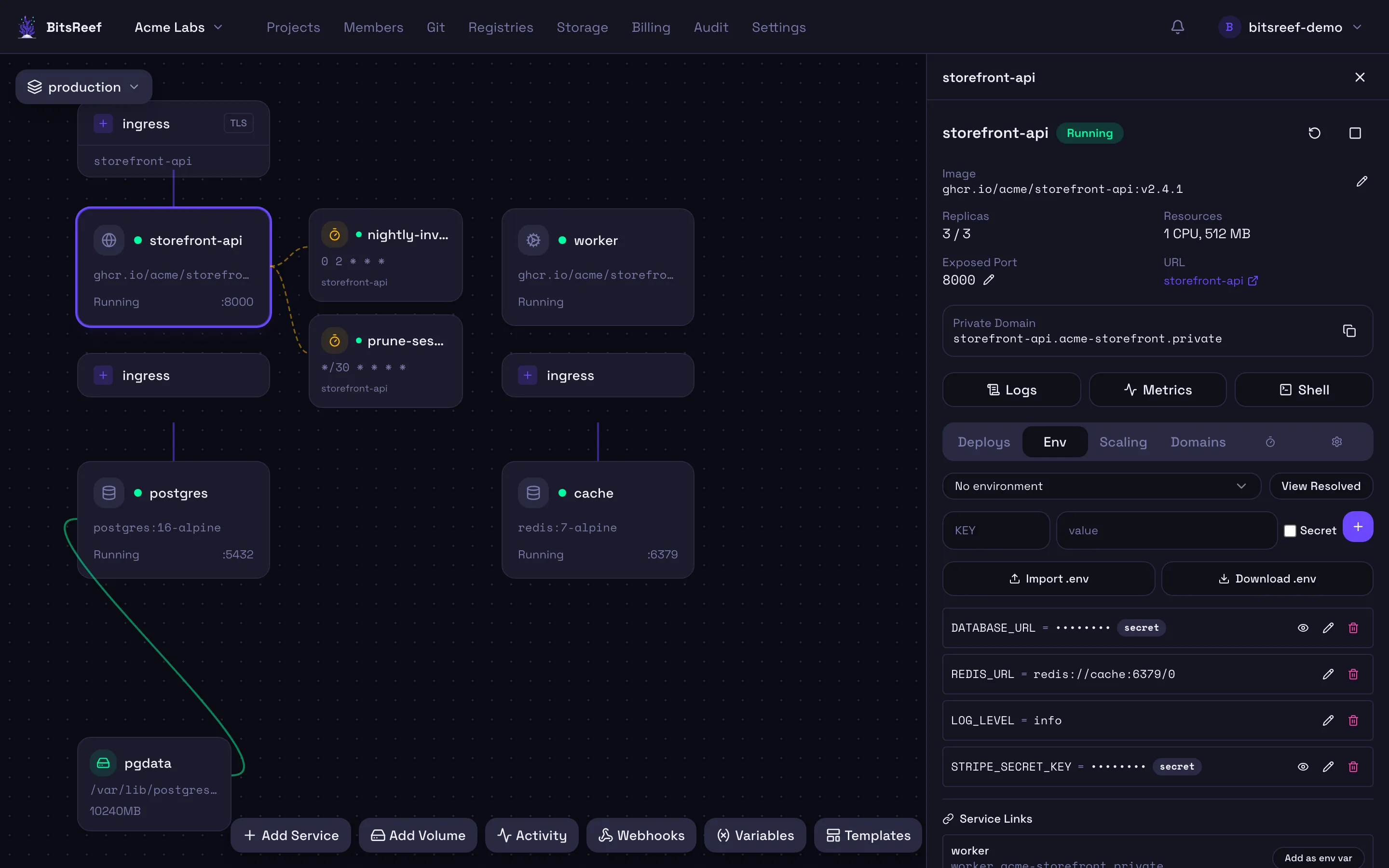
Secret values are write-only by default and shown masked. Reveal one deliberately when you need to read it back.
Project-level variables
Section titled “Project-level variables”Variables can also be defined at the project level and inherited by every service in the project — handy for shared configuration. Service-level variables override project-level ones of the same name. Manage these from the project’s Variables panel.
Applying changes
Section titled “Applying changes”Environment changes take effect on the next deploy. Trigger one from the
service’s Deployments tab (or bitsreef deploy rebuild).
From the CLI
Section titled “From the CLI”bitsreef env set DATABASE_URL "postgres://…" --service webbitsreef env set API_KEY "sk_live_…" --service web --secretbitsreef env list --service webbitsreef env reveal API_KEY --service web
# Or set variables inline at deploy time:bitsreef up -p my-project -n web -i my/app:tag --env PORT=8080 --env LOG_LEVEL=info