Custom domains
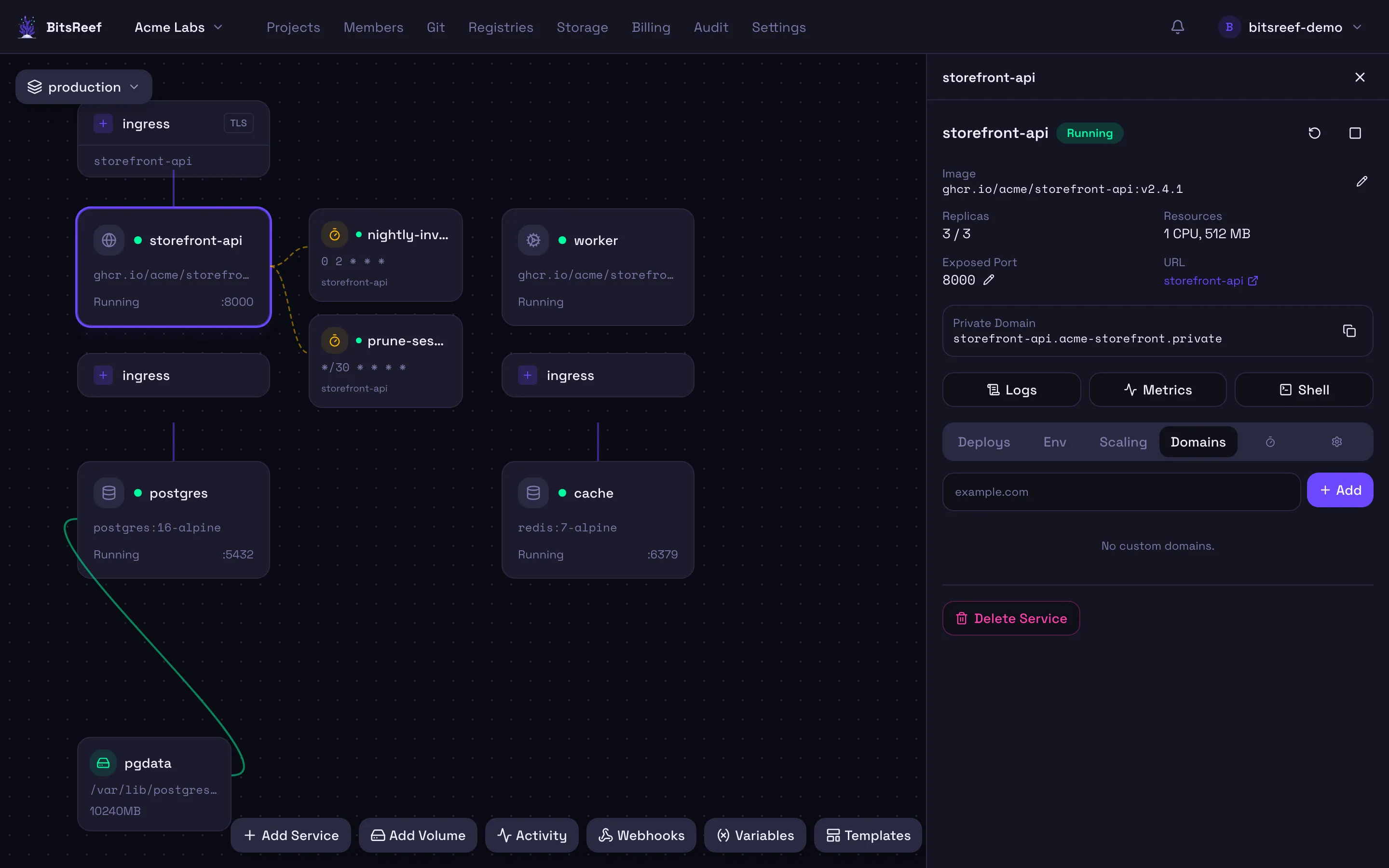
Every service gets an auto-assigned subdomain, but you can attach your own domain. BitsReef verifies DNS and provisions a TLS certificate automatically.
From the dashboard
Section titled “From the dashboard”- Open the service and go to its Domains tab.
- Click Add domain and enter your domain (e.g.
app.example.com). - BitsReef shows the DNS target — and a verification token if one is required.
Point your DNS
Section titled “Point your DNS”At your DNS provider, create the records BitsReef showed you:
- A CNAME (or A) record for your domain pointing at the given target.
- If a verification token was shown, add the indicated TXT record to prove ownership.
Verify
Section titled “Verify”Back on the Domains tab, click Verify once DNS has propagated. When it’s verified, BitsReef issues a Let’s Encrypt certificate and starts serving your domain over HTTPS — usually within a minute.
From the CLI
Section titled “From the CLI”bitsreef domains add app.example.com --service webbitsreef domains list --service web # check statusbitsreef domains verify app.example.com --service webbitsreef domains remove app.example.com --service web